


Get Connected & Prepared for the Semester
Are you a new student who has registered for classes and is planning to attend SMCC this upcoming semester? If so, we invite you and your family/supporters to attend Orientation this August! This is the perfect way to make sure you’re ready and connected for the start of your journey at SMCC. Learn more and sign up below.
Sign Up For Orientation Day
South Portland Campus
Tuesday, August 25
New Student Orientation (Ideal for Commuter Students)
Saturday, August 29
New Student Orientation (Ideal for Residential Students)
Check-in begins at 11:30 a.m. on the HUB Green. The event will begin with a welcome from SMCC President, Dr. Kristen Miller.
During the South Portland Orientation:
- Learn about campus services & resources
- Connect with other students
- Meet your advisors & program faculty
- Explore clubs & student organizations
- Get tech ready
- Learn how to navigate campus
- Meet other SMCC students and learn from current students and staff
- Meet new students, staff, their Staff Advisor and Faculty for your Pathway
- Tour the South Portland Campus
- Attend a panel session and hear and get tips from current SMCC students and staff
Family/Supporters will have the opportunity to:
- Visit student support offices to get questions answered.
- Attend sessions to hear from and ask questions of staff from areas such as Advising, Accessibility Services, Financial Aid, Student Accounts, and Student Life.
Midcoast Campus
Friday, August 28
New Student Orientation will be held 12:00 – 4:00 p.m. at the L.L.Bean Learning Commons.
During the Midcoast Orientation:
- Learn about campus services & resources
- Connect with other students
- Get tech ready
- Learn how to navigate campus
- Meet other SMCC students and learn from current students and staff
- Purchase textbooks through the online book store
Prepare for Orientation
With the MCCS Mobile App
In advance of attending Orientation, and in order to access your schedule which you will need for the event, you will need to download the MCCS Mobile App.
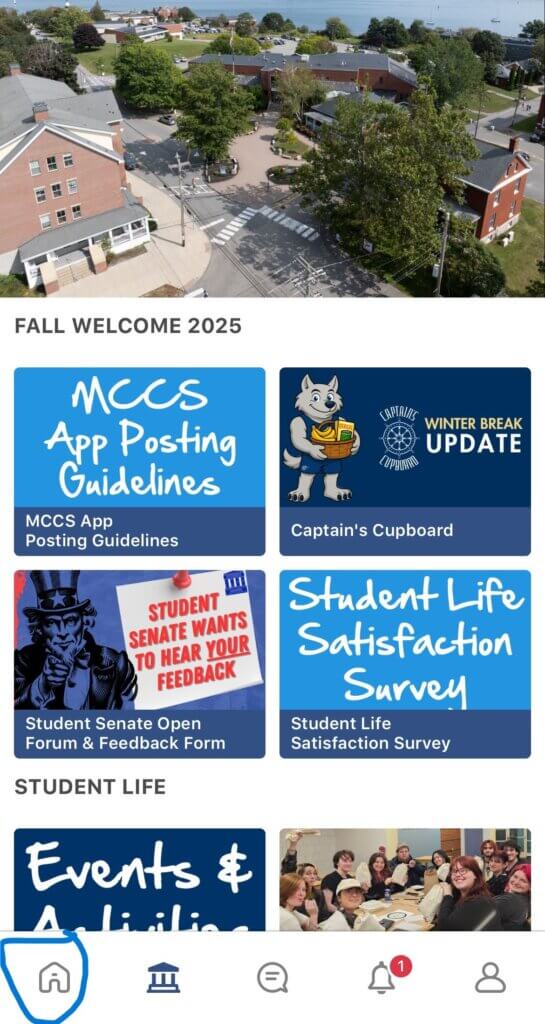
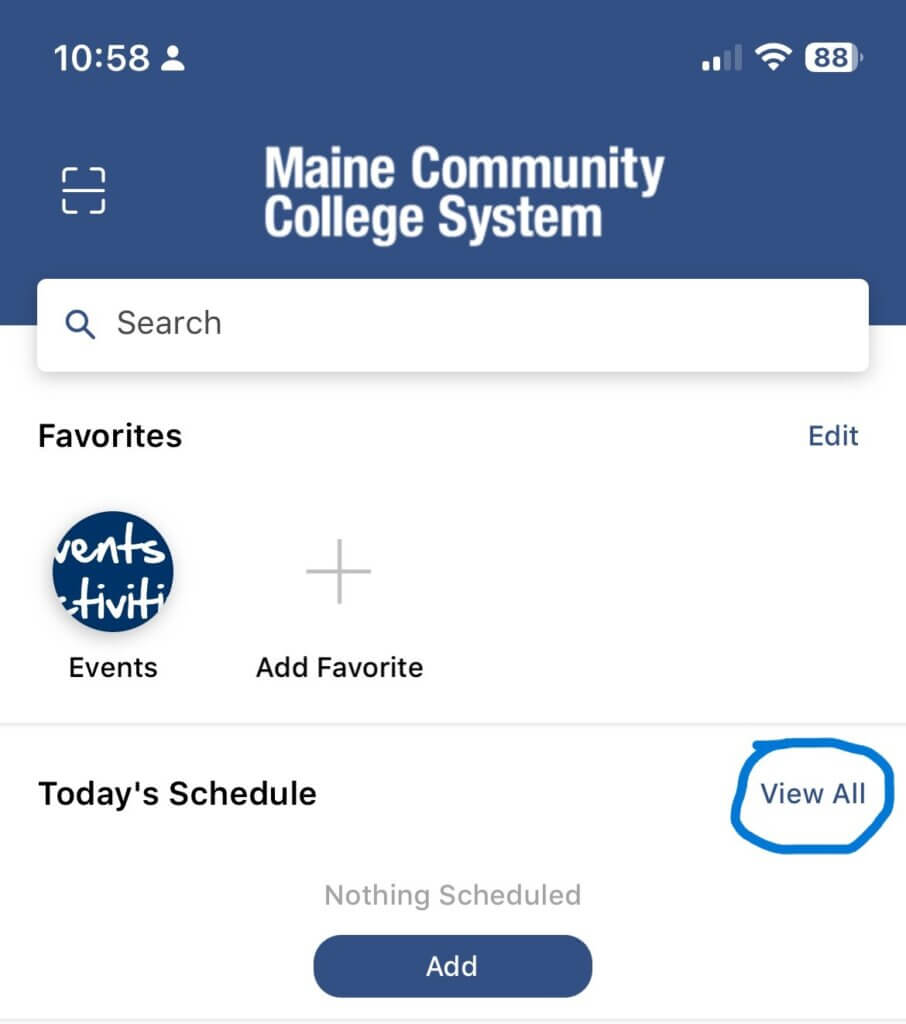
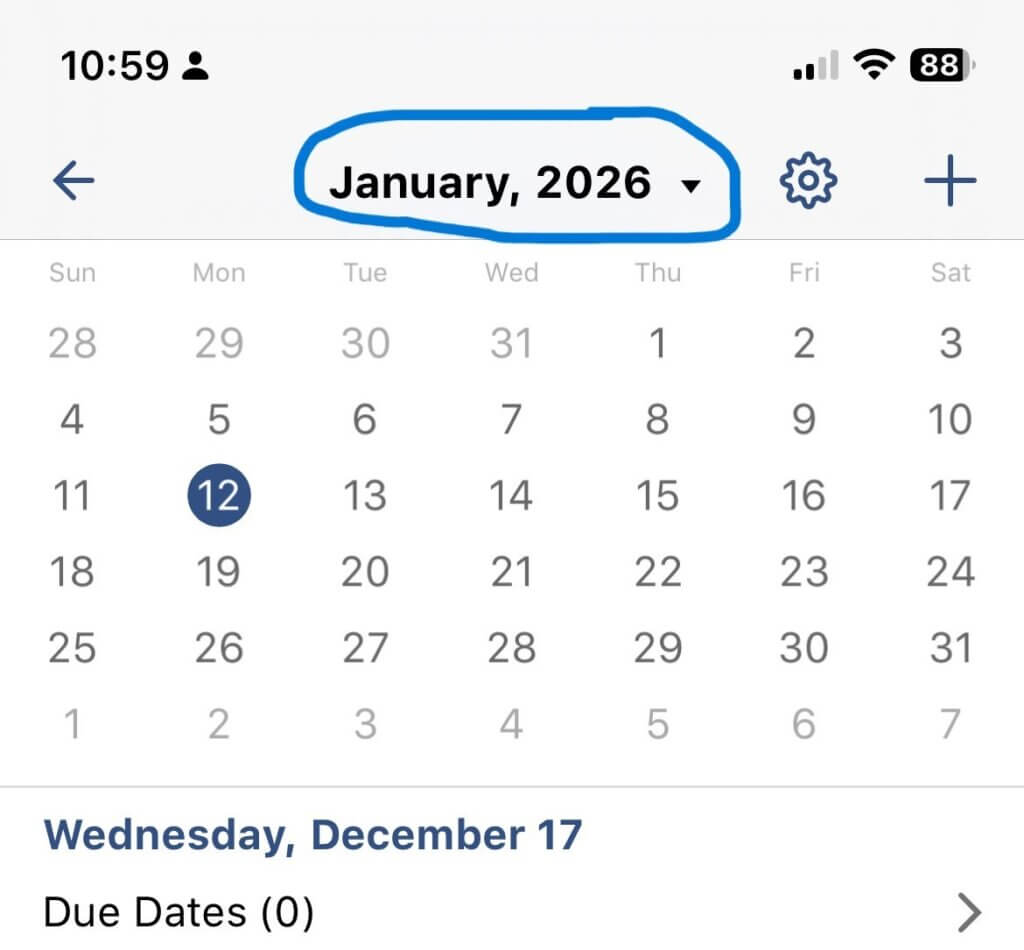
Once in the mobile app, follow these steps to access your schedule:
1) First, open the app and click on the home icon:
2) Then on the schedule screen click view all.
3) Then navigate the calendar to the first day of the term as classes are in the future:
Questions? Contact Us:
Orientation: 207-741-5860 or smccstudentengagement@mainecc.edu
Advising: 207-741-5835 or smccadvising@mainecc.edu
Advising: Visit our New Student Advising webpage